Manage Whisper Models
If you wish to use InqScribe's automatic transcription features, you will need to download at least one Whisper model. This window is where you download and manage those models. You can find the window by selecting Manage Whisper Models in the Tools menu.
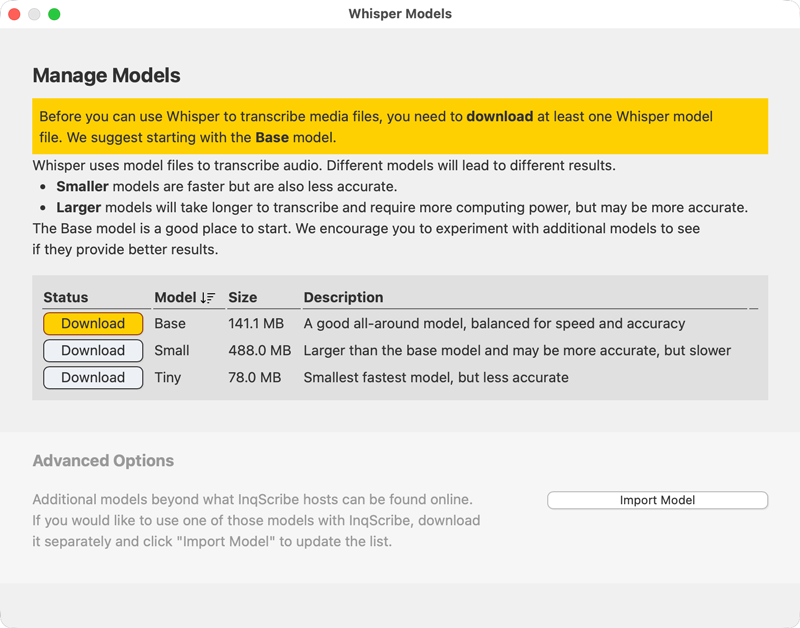
Whisper uses models to transcribe audio. InqScribe provides access three models to get you started: Base, Small, and Tiny. The Base model is a good place to start. We encourage you to experiment with additional models to see if they provide better results.
Simply click "Download" next to each model. If the model is already downloaded, you may remove it by clicking the trash can next to it.
Tip
Different models will lead to different results. Smaller models are faster but are also less accurate. Larger models will take longer to transcribe and require more computing power, but may be more accurate (not always!). We encourage you to experiment with additional models to see if they provide better results. Read more about Whisper.
By downloading models to your computer, all transcription activity happens on your machine; no data is transmitted to the cloud. This is key to InqScribe's privacy-first approach to AI transcription (learn more about Whisper and InqScribe's privacy-focused approach).