Transcription Window
The Transcription window is where InqScribe automatically generates a transcription of your audio. Learn more about how to generate automatic transcriptions in InqScribe.
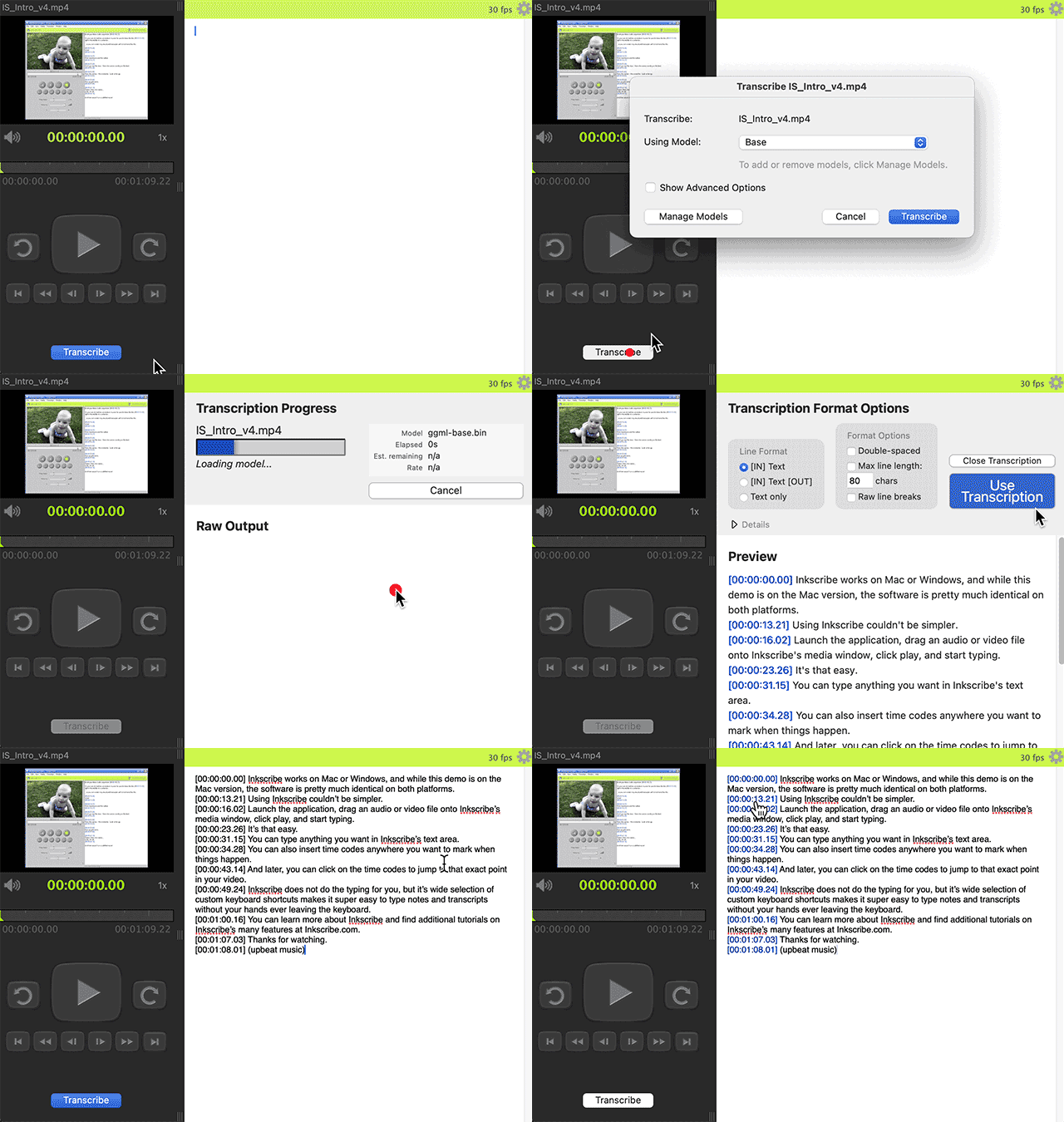
The Transcription window appears automatically after you click "Transcribe" in an InqScribe Document. InqScribe uses the Transcription window to display a real-time output of your transcription.
Once the transcription is complete, the Transcription Format Options panel allows you to format your transcription - i.e., line spacing, line breaks, location of time codes, etc.
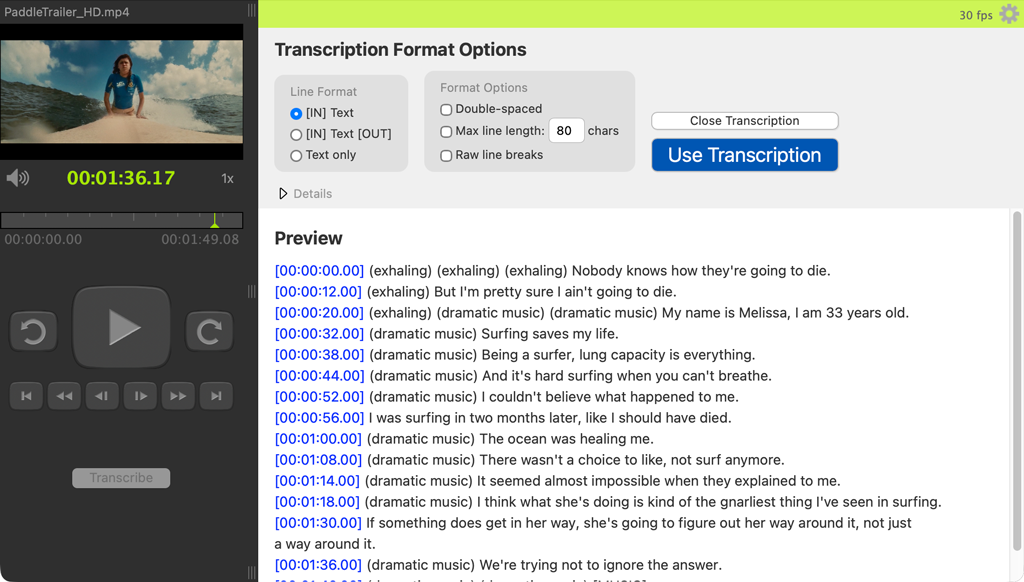
Finally, you can move your transcription to an InqScribe Document for further refinement and editing.