InqScribe Document Window
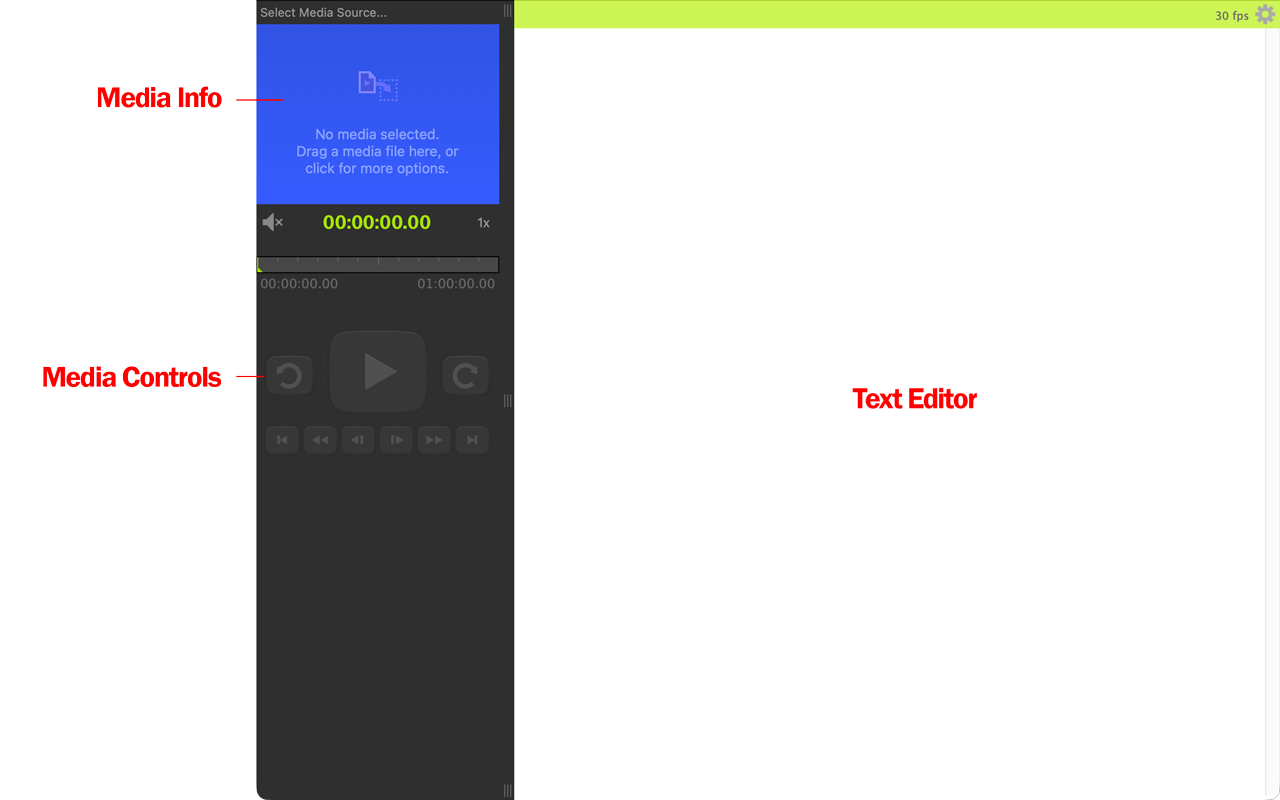
There are three basic components of the InqScribe Document window.
-
The upper left section of the window is reserved to define and display the media file.
-
The remote control buttons in the lower left will be used to control the media. If you haven't selected a media source yet, they will be disabled.
-
The text of the document — this can be a transcript, notes, or whatever you choose — takes up the right hand side of the window. The text field is a free-form editing field, similar to a standard text editor. InqScribe does not impose any particular structure on your transcripts.
Usually, the first thing you do once you've created a new document is select a media source. Every InqScribe document connects one media source to one transcript. A media source can be a file, a URL, or offline media.
Once you have added a media file to your InqScribe document, the next step is to transcribe, either by taking notes manually, or by transcribing automatically.